

An ESC programming card lets RC drivers adjust how their vehicle accelerates, brakes, protects the battery, and delivers power. For many electric rc cars, the factory ESC settings are safe but not always ideal for every terrain or driving style. This guide explains punch, drag brake, timing, and low voltage cutoff in practical terms, so you can tune your RC car with more confidence.
What Is An ESC Programming Card And Why Do You Need It?
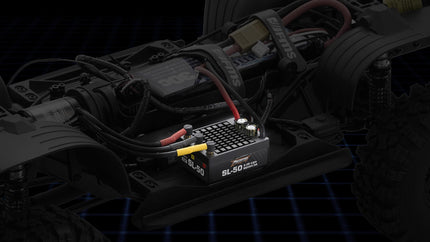
An ESC programming card is a small tool that connects to your electronic speed controller and changes its internal settings. Instead of using throttle-stick sequences or button flashes, the card gives you a clearer menu for tuning.
For beginners, the card makes setup less confusing. For experienced drivers, it helps fine-tune throttle response, braking force, motor timing, and battery protection.
What The ESC Controls
The ESC controls how power moves from the battery to the motor. It decides how quickly the car accelerates, how strongly it brakes, and when it should reduce power to protect a LiPo battery. This matters because electric rc cars are used in very different ways. A basher needs smooth control and durability. A racer may want sharper acceleration. A crawler needs low-speed precision and strong hold on slopes.
Why Factory Settings Are Not Always Enough
Most ESCs come with balanced default settings. These are designed to work safely for many users, but they may not match your vehicle.
A lightweight buggy, heavy truck, rc rock crawler, and high-speed on-road car all need different behavior. A programming card lets you adjust the ESC to fit the vehicle instead of forcing one default setup on every driving condition.
How To Use RC ESC Programming Card On Your Vehicle?
Learning how to use rc esc programming card correctly starts with safety. Always remove the pinion gear or lift the wheels if you are testing indoors, because accidental throttle input can make the vehicle move suddenly.
Most programming cards connect through the ESC receiver lead or a dedicated programming port. The exact process depends on the ESC brand, but the general steps are similar.
Step 1: Power Off The Vehicle
Turn off the ESC and transmitter first. Make sure the battery is not connected while you plug in the programming card unless your ESC manual says otherwise.
Check polarity before connecting. Reversing the signal cable may prevent the card from working.
Step 2: Connect The Programming Card
Plug the ESC cable into the correct port on the card. Some cards are powered by the ESC battery, while others need an external power source.
After connection, turn on the ESC. The card should display current settings such as punch, brake strength, drag brake, timing, reverse mode, and low voltage cutoff.
Step 3: Change One Setting At A Time
Do not change everything at once. Adjust one setting, save it, test the vehicle, and then decide whether another change is needed. This is the safest way to understand how to use rc esc programming card without losing track of what caused a problem.
Step 4: Record Your Baseline
Before changing settings, write down the factory values. If the car becomes harder to control, overheats, or feels worse, you can return to the original setup.
A simple phone note with “baseline,” “race setup,” and “crawler setup” can save time later.
Get Your RC Car Punch And Timing Explained

Many drivers search for rc car punch and timing explained because these two settings strongly affect how a car feels. Punch changes how aggressively power arrives. Timing changes how the motor delivers speed and efficiency. These settings can improve performance, but they can also increase heat and stress if pushed too far.
What Punch Means
Punch controls initial acceleration. A higher punch setting gives stronger power when you pull the trigger. A lower setting makes throttle response smoother.
High punch can make fast rc cars launch harder, but it can also cause wheelspin, drivetrain stress, and loss of control on loose surfaces.
For beginners, a medium or low-medium punch setting is usually easier to drive. Once the car feels predictable, you can increase punch gradually.
What Timing Means
Timing changes how the ESC drives the brushless motor. Increasing timing can improve top-end speed in some setups, but it usually creates more heat.
Lower timing is safer and more efficient. Higher timing is more performance-focused and should be used carefully with temperature checks.
How Punch And Timing Work Together
Punch affects launch and low-speed response. Timing affects motor behavior across the power range, especially higher RPM performance.
If both settings are too aggressive, the car may feel fast for a short time but overheat quickly. A balanced setup is usually better than chasing maximum speed. This is the core of rc car punch and timing explained: punch changes how hard the power hits, while timing changes how the motor uses that power.
Configure Drag Brake For Your RC Rock Crawler
Drag brake is one of the most important ESC settings for a rc rock crawler. It controls how much braking force is applied automatically when the throttle returns to neutral.
Unlike normal brake, drag brake does not require you to push reverse or brake. It helps hold the vehicle in place when climbing, descending, or pausing on rocks.
Why Drag Brake Matters For Crawling
A crawler moves slowly over uneven terrain. Without enough drag brake, the vehicle may roll backward on climbs or slide forward on descents.
A strong drag brake helps keep the tires planted and gives the driver more control. This is especially useful on technical trails, steep rocks, and uneven slopes.
How Much Drag Brake Should You Use?
Start with a moderate setting. Too little drag brake makes the crawler roll too easily. Too much can make the vehicle stop suddenly and upset balance.
For a lightweight rc rock crawler, a medium drag brake may be enough. Heavier rigs or steep terrain may need stronger drag brake.
When To Reduce Drag Brake
If your crawler feels jerky, flips forward on descents, or stops too abruptly when you release throttle, reduce drag brake slightly. The goal is controlled holding power, not harsh stopping.
Adjust Timing For Fast RC Cars And Top Speed
For fast rc cars, timing is often used to chase more RPM and top speed. However, timing is also one of the easiest ways to create excess heat.
Before increasing timing, make sure the gearing, motor, ESC, battery, and cooling system are suitable. A car that already runs hot should not receive more timing.
Start With Conservative Timing
Begin with the ESC’s default or low timing setting. Run the car for a few minutes, then check motor and ESC temperatures. If temperatures are safe and performance feels stable, increase timing one step and test again.
Watch Temperature Closely
More timing can increase speed, but it can also overheat the motor or ESC. If the motor becomes too hot to touch comfortably, stop and let it cool. An infrared temperature gun is helpful for serious tuning. Guessing by feel is less accurate.
Combine Timing With Proper Gearing
Timing and gearing affect each other. Taller gearing already increases load. Adding high timing on top of aggressive gearing can push electronics too hard.
For fast rc cars, build speed gradually. A controlled setup that runs consistently is better than one fast pass followed by overheating.
Protect Your Electronics: Set The Low Voltage Cutoff
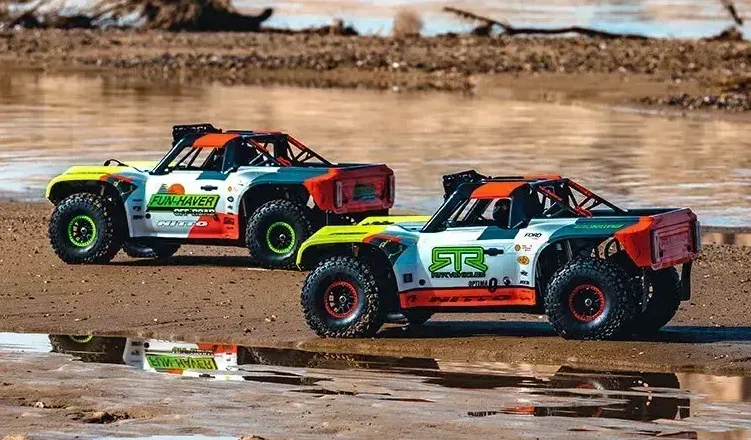
Low voltage cutoff, or LVC, protects LiPo batteries from over-discharge. This is one of the most important settings on the ESC. LiPo batteries can be damaged if voltage drops too low. In extreme cases, damaged batteries can become unsafe to charge or use.
What LVC Does
When the battery reaches a set voltage threshold, the ESC reduces or cuts power. This tells you the pack is low and should be recharged.
For most RC LiPo setups, ESC manuals commonly recommend cutoff values around 3.0V to 3.4V per cell, depending on battery type and usage. Always follow your ESC and battery manufacturer’s instructions.
Why You Should Not Disable LVC
Some drivers disable LVC to get longer runtime, but this is risky. Over-discharging a LiPo can reduce capacity, shorten lifespan, and create charging problems. For electric rc cars, a proper LVC setting is basic battery care.
Match LVC To Battery Type
Make sure the ESC knows whether you are using NiMH or LiPo. Some ESCs auto-detect battery type, but others require manual selection. Using the wrong mode can lead to poor performance or battery damage.
Tune Settings By Driving Style
ESC programming works best when the settings match the vehicle’s job. A crawler, basher, race buggy, and speed-run car should not feel the same. This is why programming cards are useful across many RC categories.
For Crawling
Use smooth throttle, moderate to strong drag brake, conservative timing, and reliable LVC. The goal is control, not speed. A rc rock crawler benefits from predictable low-speed response more than aggressive acceleration.
For Bashing
Use medium punch, moderate brake strength, and safe timing. Bashing creates sudden impacts, jumps, and rough landings, so drivetrain protection matters. Extreme punch may feel fun but can damage gears, driveshafts, and tires faster.
For Racing
Use punch and brake settings based on traction. High-grip tracks can handle stronger punch. Loose dirt may need smoother throttle. Racers often tune timing carefully, but temperature monitoring is essential.
For Speed Runs
Speed-focused builds need careful timing, gearing, cooling, and battery selection. Small changes can create big heat increases. If you are new to tuning, avoid jumping straight to maximum timing or punch.
Common ESC Programming Mistakes To Avoid
ESC tuning can improve performance, but incorrect settings can make the vehicle harder to drive or damage electronics.
One common mistake is increasing punch too much. This can cause wheelspin, poor control, and drivetrain stress. Another mistake is raising timing without checking motor temperature.
Many drivers also forget to set LVC correctly after changing batteries. This is especially risky when switching between NiMH and LiPo packs.
A final mistake is changing multiple settings at once. If the car performs worse, you will not know which change caused the issue. The best tuning approach is simple: change one setting, test, record the result, and repeat.
Conclusion
An ESC programming card helps you tune acceleration, drag brake, timing, braking, and battery protection without guessing through complicated button sequences. Punch controls launch feel, drag brake helps crawlers hold position, timing affects speed and heat, and LVC protects your battery. Used carefully, programming cards help electric rc cars perform better while keeping electronics safer.
FAQs
What Does Punch Mean On An RC ESC?
Punch controls how aggressively power is delivered when you accelerate. Higher punch gives stronger launch response, while lower punch feels smoother and easier to control. Beginners should start with moderate punch to avoid wheelspin and drivetrain stress.
How Do I Use An RC ESC Programming Card?
To learn how to use rc esc programming card, connect the card to the ESC according to the ESC manual, power the system, select the setting you want to change, save the value, and test the vehicle. Change one setting at a time.
What Is Drag Brake On An RC Car?
Drag brake automatically applies braking when the throttle returns to neutral. It is especially useful for crawlers because it helps hold the vehicle on slopes and improves low-speed control.
Does Higher Timing Make An RC Car Faster?
Higher timing can increase RPM and top speed in some brushless setups, but it also increases heat. It should be adjusted gradually with temperature checks. If the motor or ESC overheats, reduce timing or change gearing.
Why Is Low Voltage Cutoff Important?
Low voltage cutoff protects LiPo batteries from over-discharge. When voltage drops too low, the ESC reduces or cuts power. This helps prevent battery damage and supports safer operation. Always set LVC according to your ESC and battery manual.